
Download and install
Create an account, extract the client, run the launcher, and fix common launch errors.
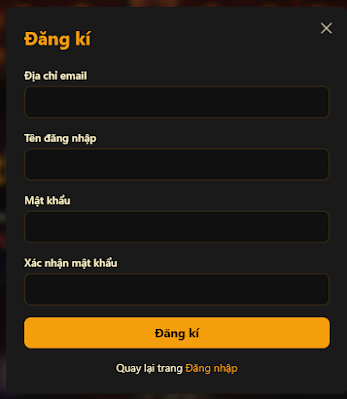
Create an account and get the latest download on the Dragonica Era homepage. Google Drive links need a signed-in Gmail account, or the download is easy to rate-limit. The Discord channel #tải_game also has the files.
Choosing an ID
The ID is what you log in with and what support looks up. It needs at least 6 characters. Do not make the ID or the email extremely long.
Extracting
The download is Dragonica_Era.rar. Extract it with WinRAR. If Windows hides extensions, the archive icon is enough to recognize it.
Extract first, then launch. Do not run the game from inside the rar.
The folder path must not contain Vietnamese accents or spaces.
Some antivirus tools delete game files and drop the connection. Add the game folder to the exclusion list. If dragonica.exe is gone, extract again or take that file from Discord and copy it into Release.
Launching
Open Patcher.exe to update. You can send a shortcut to the desktop.
The game folder includes two library installers. Install Easy Anti-Cheat with Dragonica_Era\Release\EasyAntiCheat\install.bat.
Common errors
White screen on onboard graphics, Intel UHD. In Release, rename d3d9.dll to xd3d9.dll.
Fail To Patch. Check the Discord update channel in case the server is in maintenance. If it is the network, restart the modem or turn on 1.1.1.1 WARP while patching, then turn the VPN off before entering the game.
Still will not open. Screenshot the error and send it to the fanpage or the Discord bug channel. A missing Windows system file sometimes means an in-place Windows reinstall that keeps files and apps. The repair image must be the same edition you already have, and the PC still has to boot into the current Windows.
Players outside Vietnam send their IP to a GM through the fanpage so the login can be opened.